
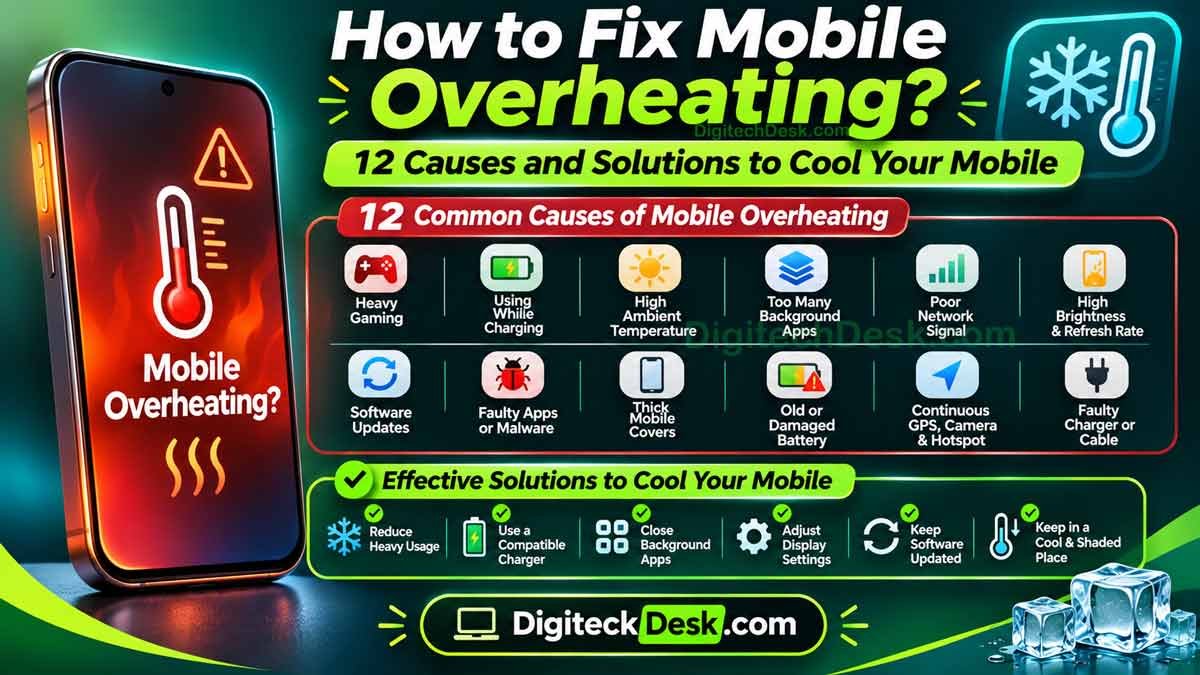
Does your mobile get hot while charging, playing games, watching videos, or browsing the internet? Mobile overheating is a common problem that many Android and iPhone users experience.
A little warmth during heavy usage is normal. However, if your mobile becomes unusually hot, heats up frequently, or displays an overheating warning, you should pay attention.
Mobile overheating can happen due to heavy applications, background activity, poor network signals, high temperatures, charging problems, or battery issues.
The good news is that many mobile heating problems can be reduced by changing a few settings and following some simple precautions.
In this guide, we will explain why your mobile is overheating and share 12 practical solutions to reduce mobile heating and protect your device.
Why Is My Mobile Overheating?
Your mobile contains several components, including a processor, battery, display, and network hardware. These components generate heat while performing different activities.
For example, playing graphics-intensive games, recording videos, using GPS navigation, and charging your device can increase its temperature.
However, excessive heat may indicate a problem with an application, battery, charger, software, or the surrounding environment.
Here are some common reasons why your mobile may be overheating:
- Heavy gaming and intensive applications.
- Using your mobile while charging.
- Direct sunlight and high room temperatures.
- Too many background applications.
- Poor mobile network signals.
- High screen brightness and refresh rate.
- Software updates and system activity.
- Faulty applications or malware.
- Thick mobile covers and poor ventilation.
- An ageing or damaged battery.
- Continuous GPS, camera, and hotspot usage.
- Faulty chargers and charging cables.
Let’s understand each cause and how to fix it.
12 Causes of Mobile Overheating and Their Solutions
1. Poor Mobile Network Signals
Have you noticed that your mobile heats up more when you are travelling or staying in an area with weak network coverage?
This can happen because your device works harder to maintain a stable connection when the mobile signal is weak.
Frequent network switching between 4G and 5G may also contribute to additional power consumption.
How to fix it:
- Move to an area with better network coverage.
- Use a reliable Wi-Fi connection when available.
- Switch from 5G to 4G if your mobile supports it and 5G coverage is weak.
- Enable Airplane Mode when you are in an area without network coverage and do not need connectivity.
Poor network signals can contribute to both mobile heating and battery drain.
2. High Screen Brightness and Refresh Rate
Your mobile display can contribute to heat generation, especially during extended use.
Using maximum brightness, high refresh rates, and demanding display settings may increase power consumption.
How to fix it:
- Reduce screen brightness.
- Enable Adaptive Brightness.
- Reduce the screen refresh rate if supported.
- Use automatic display settings where available.
- Reduce unnecessary screen-on time.
These adjustments may help reduce power consumption and improve battery life.
3. Software Updates and System Activity
Sometimes, your mobile may become warm after installing a software update.
After an update, the device may perform background activities such as application optimisation, file indexing, syncing, and system configuration.
This can temporarily increase processor activity.
How to fix it:
- Keep your mobile software updated.
- Allow the device time to complete background activities.
- Restart your mobile if necessary.
- Update applications through the official app store.
- Check whether the heating problem continues after the update.
If overheating continues for several days or happens during normal usage, investigate further.
4. Faulty Applications or Malware
Not every application is optimised properly.
Some applications may contain bugs or perform excessive background activities, causing increased processor usage and mobile heating.
Untrusted applications downloaded from unofficial websites can also create security and performance problems.
How to fix it:
- Check battery and application usage.
- Update applications regularly.
- Uninstall applications you do not recognise or trust.
- Download apps from Google Play Store or Apple App Store.
- On Android, use Google Play Protect to check for potentially harmful applications.
If the problem started after installing a particular application, check whether uninstalling it resolves the issue.
5. Thick Mobile Covers and Poor Ventilation
Mobile covers protect devices from scratches, accidental drops, and everyday damage.
However, some thick or poorly designed covers may reduce heat dissipation during demanding activities.
This does not mean every mobile cover causes overheating, but it may contribute in certain situations.
How to fix it:
- Avoid using damaged or poorly fitting covers.
- Remove the cover temporarily if your mobile becomes unusually hot during heavy usage.
- Keep your device away from direct heat sources.
- Avoid placing your mobile under pillows or blankets while charging.
Choose a good-quality case that is compatible with your device.
6. Old or Damaged Mobile Battery
Smartphone batteries gradually lose capacity as they age and after 2-3 years of usage. After regular charging and usage over time, a battery may not perform as efficiently as it did when the device was new.
A degraded or damaged battery may contribute to abnormal heating, reduced battery performance, and unexpected shutdowns.
Sometimes, you may also notice that your mobile battery drains unusually fast, even when you are not using your device. If you are experiencing this issue, read our detailed guide on Why Is My Mobile Phone Battery Draining So Fast? 12 Ways to Fix It to understand the common causes and solutions.
How to fix it:
- Check battery health if your mobile supports this feature.
- Look for unusual battery drain or sudden percentage drops.
- Get the battery inspected by an authorised service centre.
- Replace a degraded battery if recommended by the manufacturer.
Warning : If your mobile battery is swollen, stop using and charging the device. Do not press, puncture, or attempt to remove the battery yourself. Contact an authorised service centre.
7. Continuous GPS, Camera, and Hotspot Usage
Certain mobile features require significant system resources.
For example:
- GPS navigation using Google Maps.
- Recording high-resolution videos.
- Using the mobile hotspot for extended periods.
- Video calling for long durations.
- Running multiple demanding applications simultaneously.
These activities can increase your device’s temperature.
How to fix it:
- Turn off mobile hotspot when it is not required.
- Close navigation applications after reaching your destination.
- Avoid unnecessary background location access.
- Take breaks during long video recording sessions.
- Avoid running multiple demanding applications simultaneously.
You do not need to disable useful features permanently. Manage them according to your usage.
8. Faulty Charger or Charging Cable
A damaged charger, poor-quality cable, or incompatible charging accessory can cause charging problems and potentially unsafe heating.
Fast charging can also generate additional heat under certain conditions.
How to fix it:
- Use a genuine or manufacturer-recommended charger.
- Avoid damaged charging cables.
- Do not use cheap, uncertified charging accessories.
- Keep the charging port clean and dry.
- Stop charging if you notice unusual heat, burning smells, or visible damage.
If the mobile repeatedly overheats while charging, get the charger, cable, charging port, and battery inspected by an authorised service centre.
9. Using Your Mobile While Charging
Using your mobile while charging can increase heat, particularly when performing demanding activities.
For example, playing games, video calling, recording videos, or streaming content while charging can put additional load on your device.
How to fix it:
- Avoid playing heavy games while charging.
- Avoid long video calls during charging.
- Give your mobile a break while charging.
- Remove unnecessary background applications.
- Use a compatible charger recommended by the manufacturer.
Light activities such as reading messages are generally fine, provided your mobile does not become unusually hot.
10. Direct Sunlight and High Temperature
Environmental temperature plays an important role in mobile heating.
Leaving your mobile inside a parked car, exposing it to direct sunlight, or using it outdoors during extremely hot weather can increase its temperature.
This is particularly important in places where summer temperatures are high.
How to fix it:
- Keep your mobile away from direct sunlight.
- Avoid leaving it inside a parked vehicle.
- Do not place it near heaters or other heat sources.
- Use your device in a cool, shaded environment.
- Allow it to cool naturally if it becomes too hot.
Avoid using your mobile in environments where the temperature exceeds the manufacturer’s recommended operating range.
11. Too Many Background Applications
Some applications continue running background activities even when you are not actively using them.
Social media applications, navigation apps, cloud storage services, and video applications may use system resources in the background.
Excessive background activity can contribute to mobile heating and battery consumption.
How to fix it:
On Android:
- Open Settings.
- Go to Battery or Battery Usage.
- Check which applications are consuming the most power.
- Restrict unnecessary background activity.
On iPhone:
- Open Settings.
- Select General.
- Tap Background App Refresh.
- Disable it for applications that do not need frequent updates.
Do not disable every background application. Focus on apps showing unusual activity
12. Playing Heavy Games for Long Periods
Mobile games such as BGMI, Call of Duty Mobile, and Genshin Impact require significant processing power.
When you play graphics-intensive games for extended periods, your mobile processor and graphics hardware work harder. This generates additional heat.
How to fix it:
- Reduce in-game graphics settings.
- Lower the frame rate if possible.
- Avoid playing continuously for long periods.
- Close unnecessary applications before gaming.
- Take regular breaks between gaming sessions.
If your mobile becomes excessively hot during gaming, stop playing and allow it to cool down naturally.
What to Do When Your Mobile Gets Too Hot?
If your mobile becomes unusually hot, follow these precautions:
- Stop gaming, video recording, or other demanding activities.
- Disconnect the charger if the device is overheating while charging and it is safe to do so.
- Move the mobile away from direct sunlight or other heat sources.
- Close demanding applications if the screen is responsive.
- Turn off unnecessary features such as GPS and hotspot.
- Allow the device to cool naturally.
Important: Never put your mobile inside a refrigerator or freezer to cool it quickly. Sudden temperature changes and condensation can damage electronic components.
If the device displays an overheating warning, follow its instructions. If it remains excessively hot, switch it off if safe and seek professional assistance.
How to Prevent Mobile Overheating in Daily Use
A few simple habits can help reduce unnecessary mobile heating.
- Avoid prolonged heavy gaming.
- Use compatible charging accessories.
- Keep your mobile away from direct sunlight.
- Update your mobile software regularly.
- Remove unnecessary applications.
- Avoid charging under pillows or blankets.
- Manage background applications.
- Keep your mobile’s battery in good condition.
- Avoid exposing your device to extreme temperatures.
These precautions can help maintain better mobile performance and battery health.
Frequently Asked Questions (FAQs)
1. Why is my mobile overheating without using it?
Your mobile may become hot even when you are not actively using it because of background applications, poor network signals, automatic syncing, software activity, or battery problems. Check battery usage and identify applications consuming unusual resources.
2. Why does my mobile heat up while charging?
Charging naturally generates some heat. However, excessive heating may happen due to heavy usage while charging, high ambient temperatures, incompatible chargers, damaged cables, or battery problems.
3. Is mobile overheating dangerous?
Mild warmth during normal activities is generally not a concern. However, excessive or repeated overheating may affect battery performance and indicate a hardware or software problem. Stop using a device with signs of battery damage and seek professional assistance.
4. Does 5G cause mobile overheating?
5G connectivity can increase power consumption in certain situations, particularly when network coverage is weak or unstable. However, overheating also depends on the device, network conditions, software, and usage.
5. How can I cool down my mobile quickly?
Stop demanding activities, disconnect the charger if appropriate, move the device away from sunlight, and allow it to cool naturally in a shaded, ventilated place. Do not use ice, refrigerators, or freezers.
6. Why does my mobile overheat while playing games?
Heavy mobile games use the processor and graphics hardware extensively. This generates heat, especially during long gaming sessions, high graphics settings, and high frame rates.
7. Does mobile overheating affect battery life?
Repeated exposure to excessive heat can accelerate battery ageing and reduce its overall lifespan. Avoid exposing your mobile to high temperatures whenever possible.
8. When should I visit a mobile service centre?
Visit an authorised service centre if your mobile repeatedly overheats during normal use, shuts down unexpectedly, displays persistent temperature warnings, or shows signs of battery swelling or physical damage.
Final Thoughts
Mobile overheating can happen for several reasons, including heavy applications, gaming, charging, poor network signals, high temperatures, and battery problems.
A little warmth during demanding activities is normal. However, repeated or excessive heating should not be ignored.
Start by checking background applications, reducing unnecessary usage, avoiding direct sunlight, and using compatible charging accessories.
If your mobile continues overheating despite these precautions, get it inspected by an authorised service centre.
Taking care of your mobile’s temperature can help maintain better performance, improve battery longevity, and prevent avoidable damage.
Found this guide helpful? Share it with someone experiencing a mobile heating problem.
1 thought on “How to Fix Mobile Overheating? 12 Causes and Solutions to Cool”